

Salve — good to have you here!
I am Andreas. I built Lapicida because I learned Latin myself at a point in life when nobody expects you to: in my forties, two kids, dyslexic — and a Latin requirement I had to clear in two semesters. Memorising paradigm charts was never going to work for me. So I built what I had been missing. Plenty of the people using it now are in the same place: homeschooling parents working through Latin alongside their children, adults returning to it, students who need it for a program.
This page takes you by the hand — briefly and in order. Give it ten minutes and Lapicida will be set up for you, which makes more difference than you might think. Wherever you want to go deeper, a pointer in each section leads you into the full documentation.
1 · Activate your license
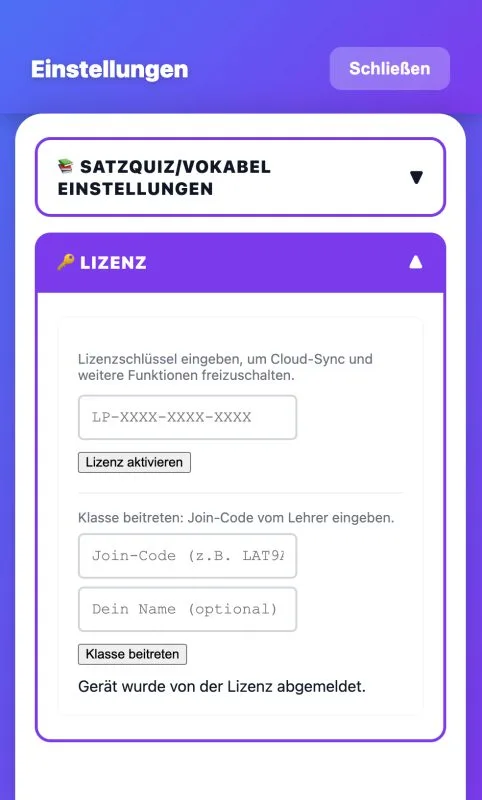
Bought in the web shop? Your key is in your inbox and looks like this: LAP-XXXX-XXXX-XXXX-XXXX.
- Open Lapicida
- Tap Settings (the gear icon)
- Open ☁️ Account & Cloud & Telemetry
- Enter the key under 🔗 Activate License
That is it. Your key works on three devices — phone, tablet, computer. Just enter the same key on each one.
Bought in the App Store or on Google Play? Then there is nothing to do. The purchase is tied to your store account and unlocks itself.
📖 More on this: License — the key, your devices and renewals
Learn Latin now. Our learning app:

2 · Set the app up for you
This is where I would like to hold you up for a moment. These two minutes decide whether Lapicida feels like work or like progress.
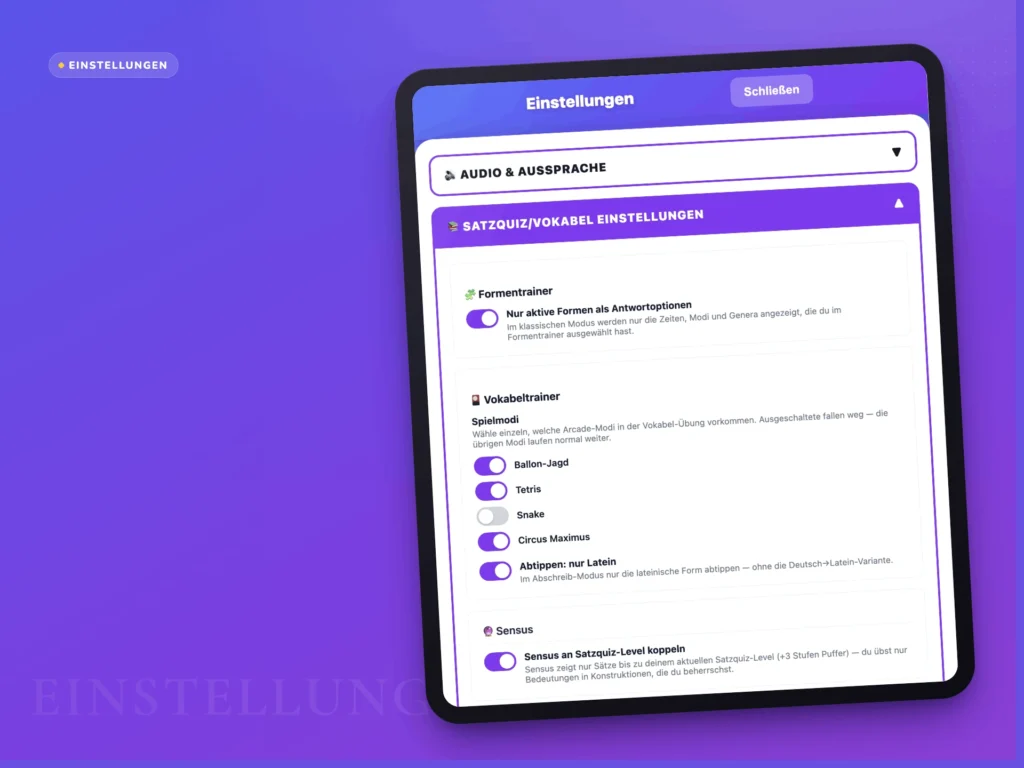
Go to Settings → Learning Mode → 🎭 How you learn:
“Unlock words one at a time”
Each declension starts with one word. Once it sticks, the next one joins. Without this switch you face a long list straight away — exactly the feeling I built this app against. Turn it on.
“Only active forms as answer options”
Only the tenses, moods and voices you selected in the Form Trainer appear. You then really practise what you are practising, instead of guessing between forms you have not met yet.
Your level
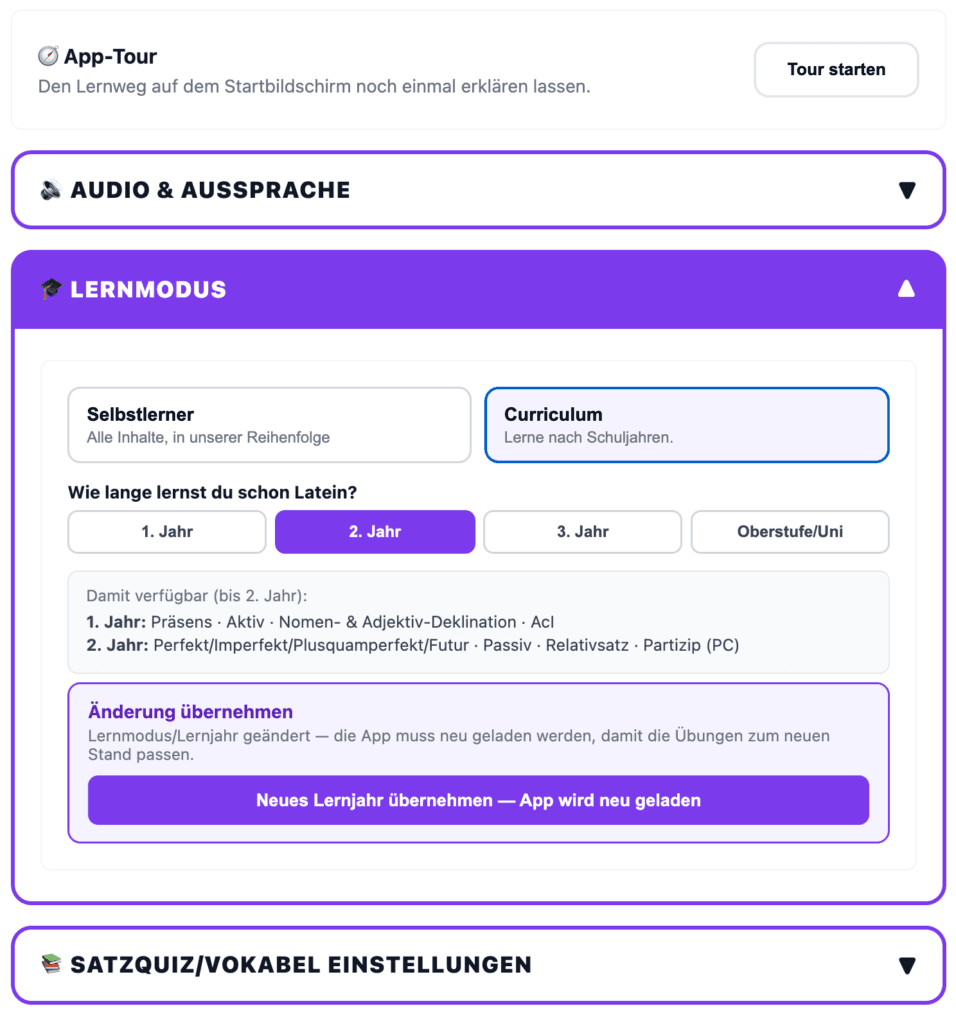
This tells the app where you stand — roughly Latin 1 through Latin 4, or wherever your curriculum has you. What that means comes in the next section, and it matters more than it sounds.
📖 More on this: All settings at a glance · Learning Mode in detail
3 · What is the curriculum?
The curriculum is the order in which Latin builds on itself. Not the order of one particular coursebook, but the one in which the grammar carries itself: first the a-declension, then the accusative, then the predicate, then the ACI.
Your level is a starting point — not a ceiling.
If you set Latin 2, nothing disappears. You get a sensible starting position: the forms, sentences and texts that build on what you already know. Everything else stays reachable — you can always look further ahead, and a child who is ready for more is never held back by a setting.
Following a course — at school, at college or at home? This is the part that does the heavy lifting. Whichever program you use — Wheelock’s, Lingua Latina, Henle, a high-school Latin 1 syllabus, or something you assembled yourself — the hard question is never the material, it is the order: what comes next, and am I ready for Caesar yet? Lapicida answers that, so you can get on with the Latin instead of sequencing it.
And if you are teaching yourself? Same benefit. Adults picking Latin back up after twenty years rarely lack the ability — they lack a path. Set where you feel comfortable and let it lead.
📖 More on this: Curriculum — your path, level by level
4 · What is inside
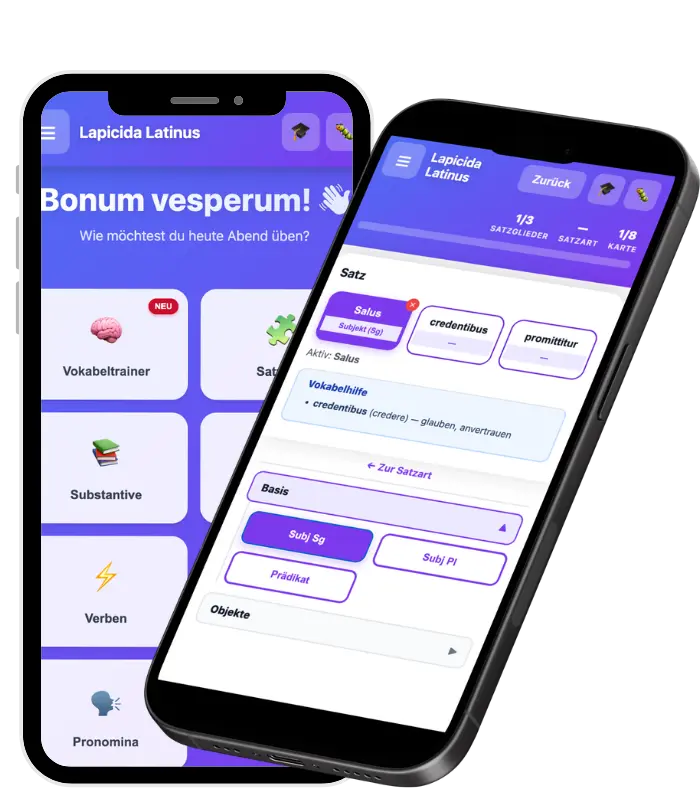
So you know what you have at your disposal:
Vocabulary Trainer — over 11,500 words, sorted by level, plus 45 ready-made word lists and one list for every reading text.
Form Trainer — declension, conjugation, comparison, pronouns. Staggered by level, with the unlocking system from step 2.
Sentence Quiz — recognise sentence elements by colour instead of reciting rules.
Sensus — word meanings in context: why does res mean “situation” here and “property” there?
Reading — the heart of it. 164 texts in ascending levels, from 16 authors: Caesar, Cicero, Virgil, Livy, Sallust, Seneca, Pliny, Phaedrus — and Augustine, Tertullian, Anselm, Luther, the Vulgate and the liturgy. Some gently simplified, many word for word in the original. You find them under Reading → Library, with a difficulty level on every text.
What makes it different: these are connected texts, not sentence collections. You read a story, not an exercise sheet.
And the range is deliberately wide. Caesar, Cicero, Livy and Sallust for anyone heading toward AP Latin or the National Latin Exam. Virgil, Seneca and Phaedrus for the pleasure of the thing. The Vulgate, Augustine and the liturgy for readers who want Latin for the Church Fathers or for prayer. Whichever direction you are heading — exam, degree, etymology, or plain curiosity about Rome — you will not have to buy a second program to get there.
📖 Every module has its own page: Vocabulary Trainer · Form Trainer · Sentence Quiz · Sensus · Reading · Turbo
5 · Your own vocabulary — with the AI scanner
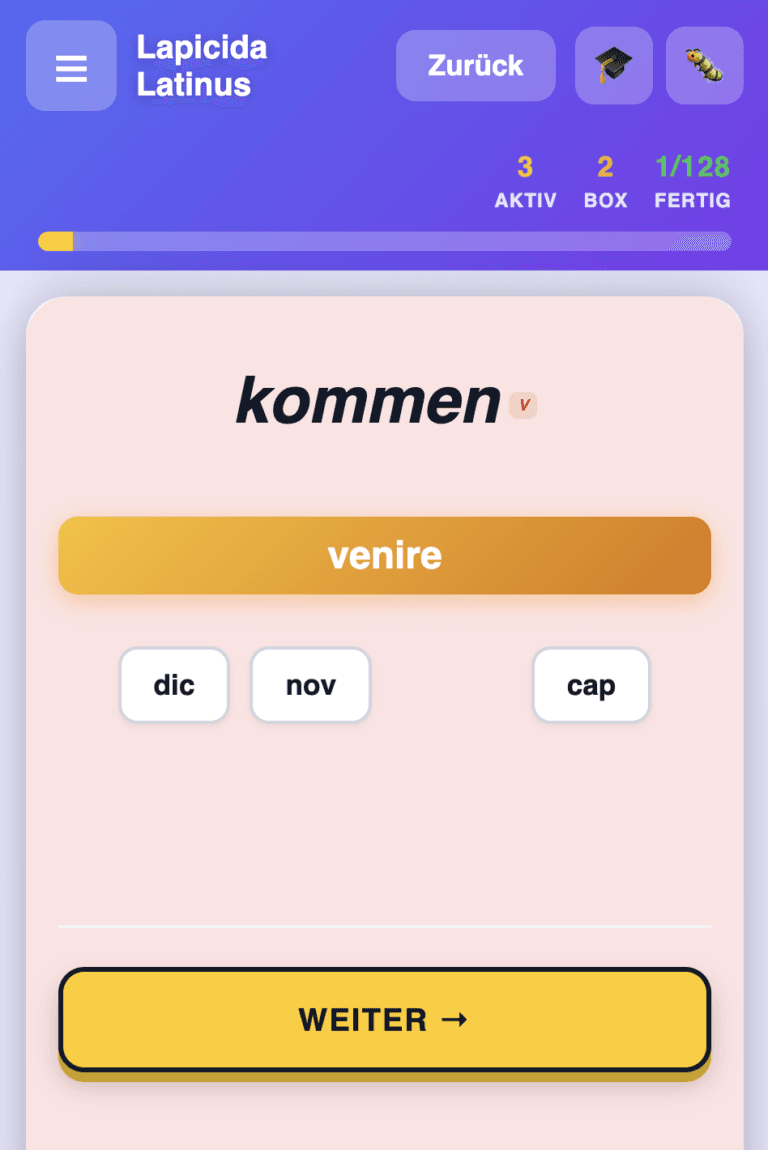
Create a list and simply photograph your vocabulary! Our AI scanner picks up 99 % of all words and hands them to you complete with word forms, genitive, declension and conjugation.
You get the recognised words to check, and take them into your own list with a tap. Anything that is off you correct right there.
With a license you have ten scans a day — enough for a whole vocabulary book in an afternoon. Of course you can also build lists by hand, rename them and mix them.
📖 More on this: Vocabulary Trainer — 13 modes and the review system

6 · Writing by hand
You can write forms and vocabulary by hand on the wax tablet instead of typing them. The handwriting is recognised directly on your device.
- In the app versions — iPhone, iPad and Android
- With any active stylus: Apple Pencil, common Android styluses — or simply your finger
- The switch sits under Settings → ✍️ Handwriting / Pen. It only appears on devices with a stylus or touchscreen
- In the web version writing is off, because the recognition runs on the device itself. Free drawing in the drawing game is available there
Why this matters to me: people with reading and spelling difficulties often lose the thread between head and keyboard. For many, writing is the more direct route. Try it once, even if you do not think it is for you — it feels different.
📖 More on this: Learning Mode — handwriting, stylus and the wax tablet

7 · The cloud — your progress follows you
Lapicida runs without an account. But if you learn on more than one device — phone on the train, tablet at the desk — you can take your progress with you.
You find it under Settings → ☁️ Account & Cloud & Telemetry, in the same place as your license.
Everything you have worked on comes along: Form Trainer, vocabulary, Sentence Quiz, Sensus, Turbo, your reading progress, your own word lists and your settings. Not just a score — the whole state of your learning.
And everything still works offline. Lapicida learns without a connection and syncs when one is back. You should never stand in front of an exercise waiting for a loading spinner.
📖 More on this: Cloud sync & telemetry — what is transferred and what is not
8 · Help and tools — right inside the app
You do not have to leave Lapicida to look something up. Help & Support sits at the top — and there is more behind it than you would expect.
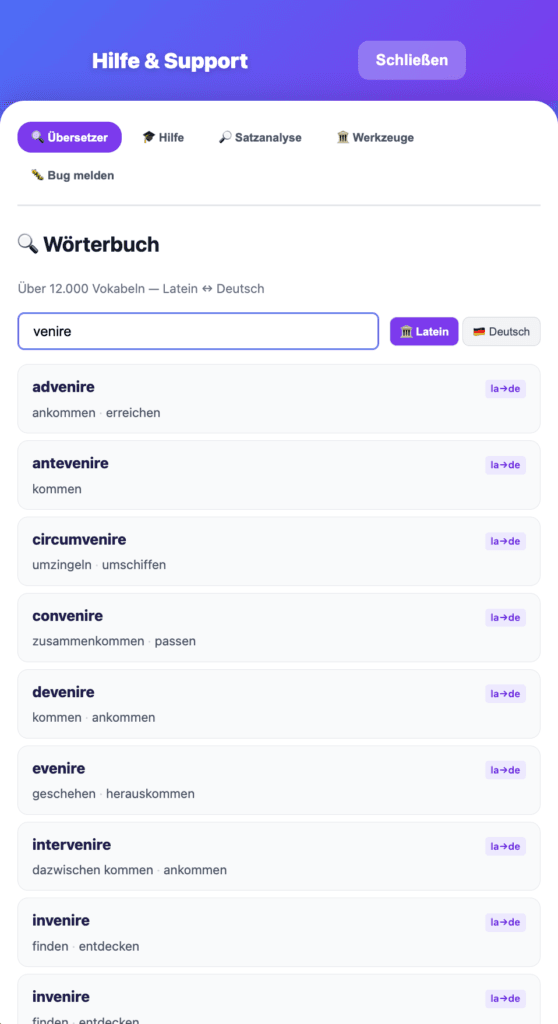
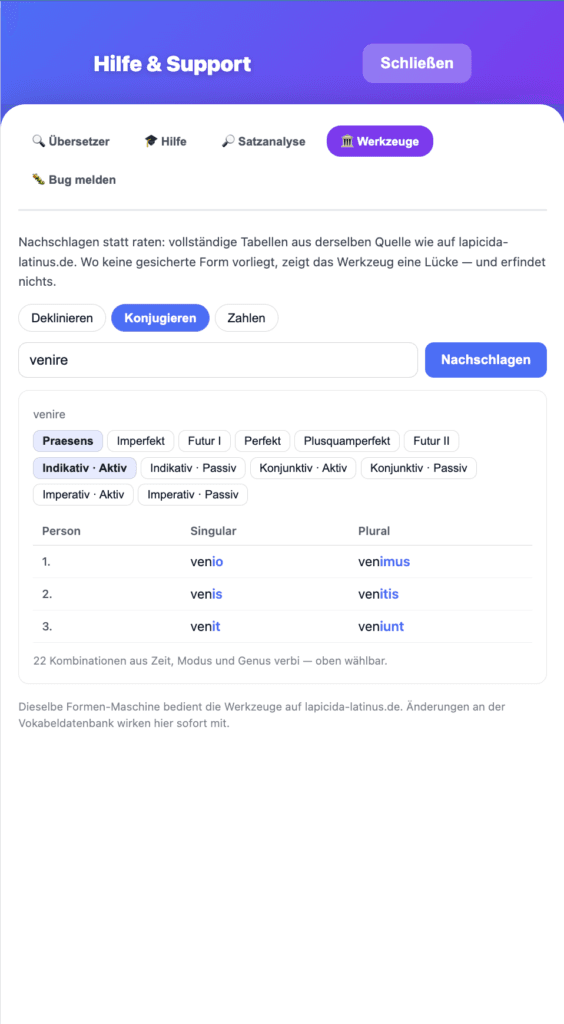
🔍 Dictionary. The complete vocabulary, Latin ↔ English, searchable both ways. Type venire and you get the whole family with it: advenire, convenire, invenire.
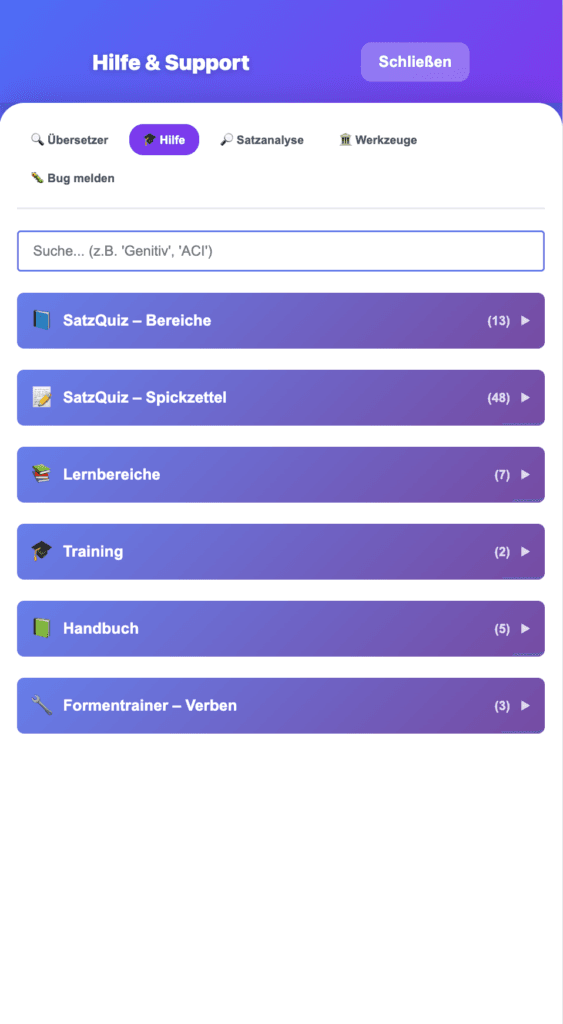
🎓 Help. Searchable and sorted by area: the Sentence Quiz areas, 48 cheat sheets on sentence elements, learning areas, training, the handbook and the Form Trainer explanations. Search for “genitive” or “ACI” and read up without leaving the exercise.
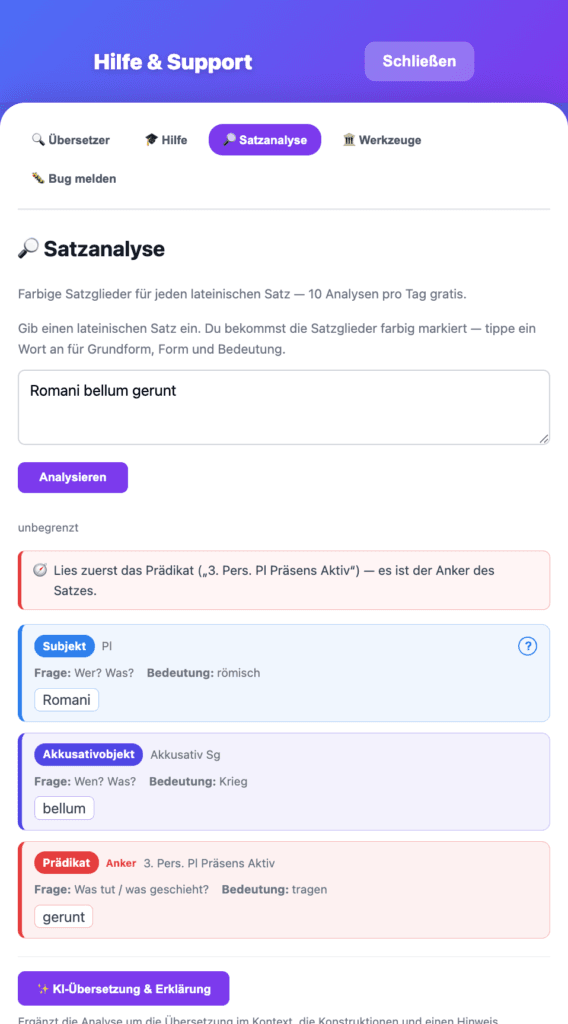
🔎 Sentence analysis. Type in any Latin sentence — including one from your own book that has nothing to do with us. You get the elements colour-coded, each with its question, its form and its meaning, plus a hint on where to start reading. Ten analyses a day are free, unlimited with a license.
🏛️ Tools. Declension, conjugation, Roman numerals — complete tables, 22 combinations of tense, mood and voice for the verb alone. It is the same forms engine that drives the tools on this website. And where no attested form exists, it shows a gap instead of inventing one.
🐛 And if something strikes you: one click on “Report a bug”, and it lands straight with me.
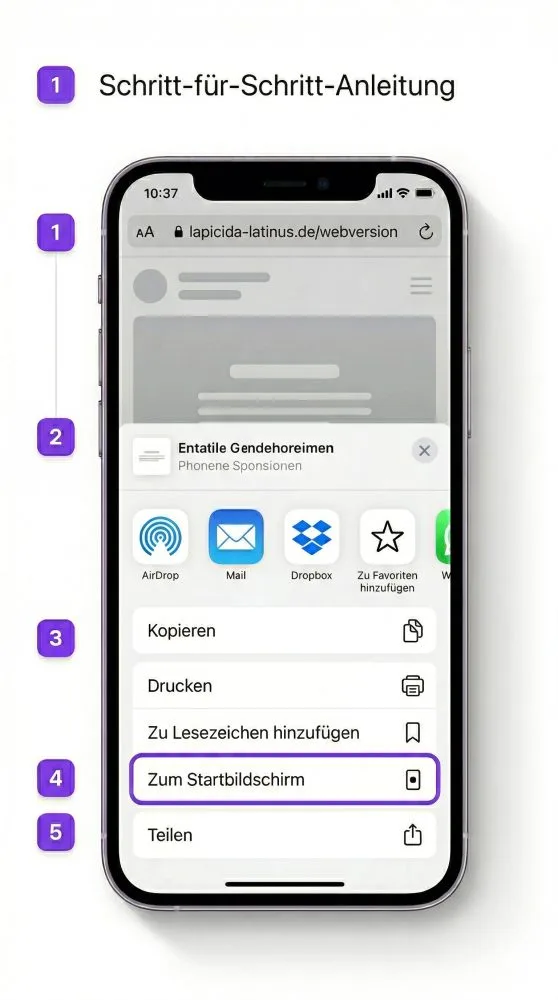
9 · Put Lapicida on your home screen
Besides the apps for iPhone, iPad and Android there is a third way: the web version in your browser, on any PC, Mac or laptop.
And you can put that on your home screen like an app — in the browser menu under “Add to Home Screen” or “Install”. Lapicida then starts in its own window, without an address bar. Handy for the computer you are working at anyway.
10 · When something goes wrong
Just write to me. [email protected] — there is no support team behind that address, there is me. I usually reply the same day and I am genuinely glad about every piece of feedback, including the uncomfortable kind. Lapicida is young; a lot of what is in it exists because someone wrote to me that it was missing.
The key is not accepted. Check whether a space was copied along with it. The LAP- belongs to the key. If it still refuses, write to me and I will look directly.
My progress is gone. Usually it is a different device or a different browser. The cloud from step 7 brings it back.
I cannot find a feature. A lot depends on the level you set and on the switches from step 2. If you are missing something, ask one time too many rather than one too few.
📖 More on this: Frequently asked questions · Contact · What changed recently
11 · Stay in the loop
I write rarely — a few times a year, when something has genuinely been added: new exercises, new texts, new ways through the grammar. If you would like to hear about it, do sign up.

And now: just begin
My advice for the first session — nothing more than this:
- Set your level (step 2)
- Open a word list and practise vocabulary for ten minutes
- Open a reading text and see how much you already understand
The third point is the one that counts. Practising forms makes nobody happy — reading a Latin sentence and understanding it does. Everything else is there for that.
Enjoy it. And get in touch if something is missing.
Andreas