Latin App for Teachers: A Daily At-a-Glance View of All Students’ Progress
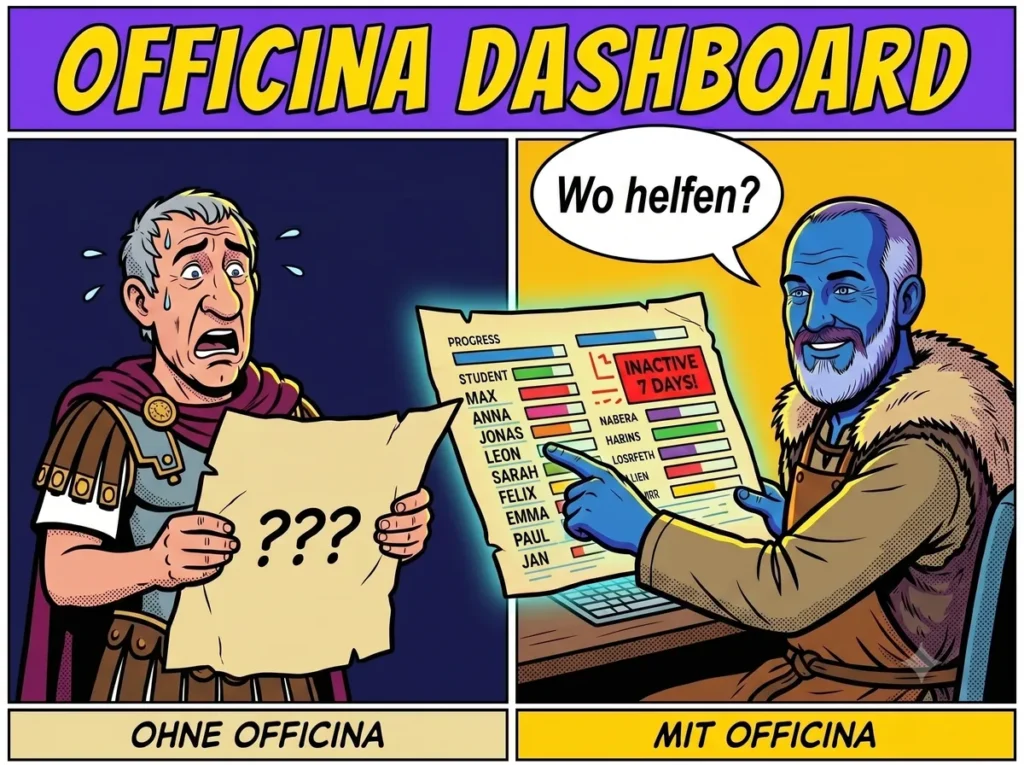
You teach Latin and often don’t find out who’s falling behind until after a test. Officina changes that: You can see every day which students are struggling—before their learning deficit turns into a real gap.
[Lapicida] focuses on fostering a sense of responsibility, provides reassurance, promotes learning success, and thereby boosts motivation. It is precisely these kinds of tools—combined with learning together and from one another, as well as reflecting on one’s own learning—that will transform the classroom and ease the burden on teachers.
Reto Thöny, Founder of the Chur Model
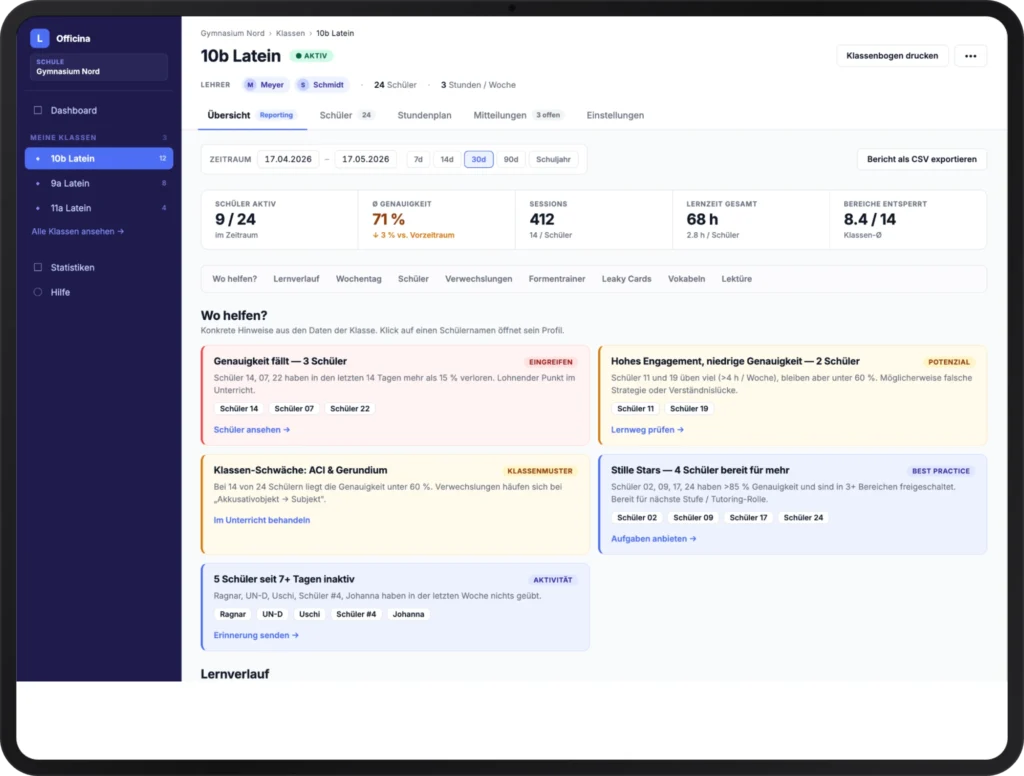
5 automatically generated insight cards: who is falling behind, who is inactive, where are there class-wide weaknesses—without manual analysis.
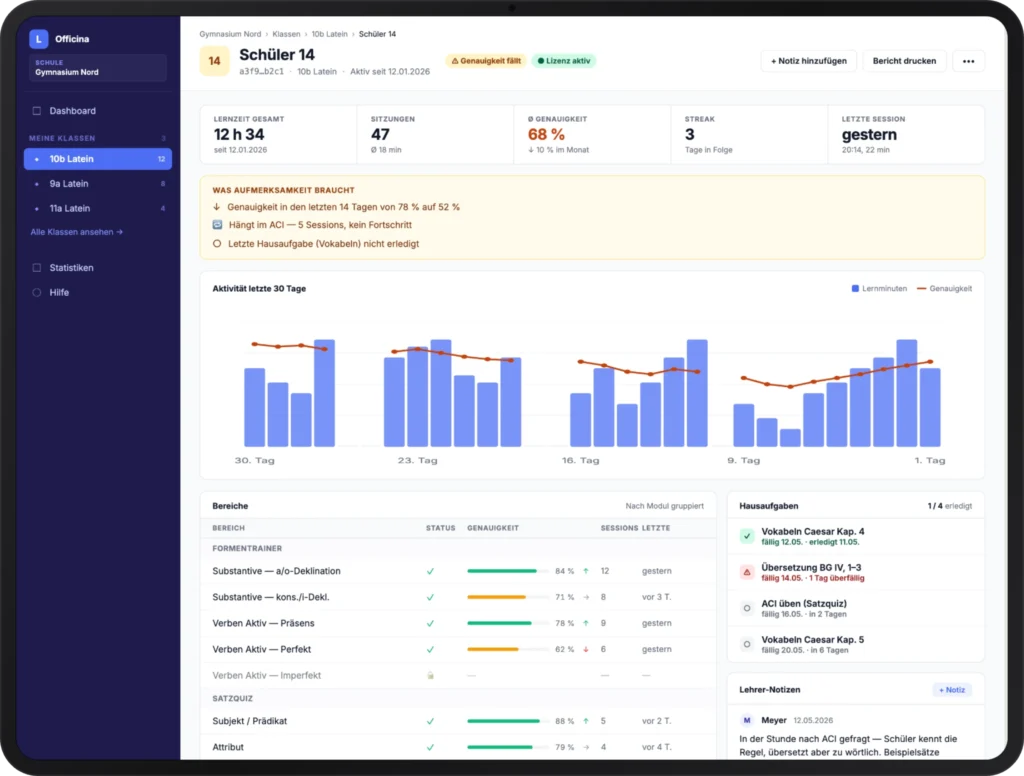
Accuracy and sessions per student at a glance—broken down by grammar area, without additional performance assessments.
Which forms and sentence elements are most frequently misidentified—the basis for targeted input instead of general repetition.
9th grade practices the perfect tense and the third declension — 11th grade covers all constructions up to ACI. Configure learning profiles to align with the curriculum.
Upload your own texts, assign them to the class, and use them as material for sentence quizzes—plus create your own vocabulary lists for the next test.
Direct contact — no ticket system, no FAQ loop. Feedback goes straight to the developer.
Officina in Practice: Reading and Vocabulary
The Latin app for teachers offers two highly sought-after features: assigning your own reading texts directly to the class and configuring vocabulary lists for upcoming tests—all from the Officina dashboard.
From Grading to Coaching
Latin teachers often spend 10–12 hours on the weekend grading tests—and only then find out what the class didn’t understand. As a Latin app for teachers, Officina shows this during the learning process, not afterward.
This enables the brief, targeted interventions for which the Chur model is known: Instead of teaching all 25 students at once, you coach the three who are currently stuck.
- Inactivity Alert: 5 students haven’t been active for 7+ days—you’ll receive a notification before a learning gap develops
- Learning Progress Chart: Accuracy and sessions over the last 30 days—you can see if a class’s performance drops off after a break
- Class-wide patterns: If 18 out of 24 students score below 60% on ACI exercises, that’s a class-wide issue, not an individual problem
Who is Officina for?
High school
Latin teachers You have 2–4 classes with 20–25 students each. Officina gives you an overview of all your classes on a single page—without requiring each student to submit anything. What a lesson with the app looks like in practice is described in → Latin app in the classroom.
Private tutors and instructors:
Your students purchase their own licenses (€19.99/year) and join using a join code—you don’t have to pay for licenses upfront. You can immediately see where each student truly stands.
Schools (Class License)
A class license is available for entire classes. → Details on the teachers’ page
How to get started with Officina
Request access
Write to us via the contact page. Officina is free for teachers, and we will set up your access.
Create a class + share the join code
Create a virtual class in the dashboard and receive a 6-digit join code. Students enter the code in the app—no email address required, GDPR-compliant.
Configure the learning profile, provide guidance
Set which grammar topics are active for your class once. After that, you’ll see daily learning progress—the Latin app for teachers automatically tracks progress, allowing you to intervene as needed.
Officina: free for teachers
Access on request.
Frequently Asked Questions About Officina
What is Officina?
Officina is the teacher dashboard from Lapicida Latinus. It displays learning progress, accuracy, activity, and confusion patterns for all students in a class in real time. Free for teachers, access on request.
Does Officina cost extra?
No. Officina is free for teachers. You get access on request.
Can I use Officina as a tutor?
Yes. Tutors also get Officina free on request. Your students purchase their own student licenses and join using a join code. You do not need to purchase licenses for them.
Do students need to register?
For students without their own license (class license), the join code is all that’s needed—no email address required, GDPR-compliant.
Is there a trial version?
Email us at [email protected]—we’d be happy to set up a trial account.
What’s the difference between a teacher license and a class license?
The teacher license is free and for individual teachers and tutors—students purchase their own licenses separately. For schools, there is a class license.