Learn to Translate Latin: Sentence by Sentence Through a Real Text

To learn to translate Latin is not to push words one by one into English. A Latin sentence is like a lock: it only opens once you know the words, their forms and their role in the sentence. You learn that best on a real text, sentence by sentence.
Here you’ll see how to unlock a Latin sentence, why a whole text teaches you more than loose practice sentences, and how the Lapicida app takes you through a text one sentence at a time.
How do you learn to translate Latin?
In short: don’t translate word by word from the front. Sort out the words first, then their forms, then the sentence parts – and only then put the English sentence together. Practise this on a connected text in small portions: a few sentences every day beat a whole page once a week.




How to unlock a Latin sentence
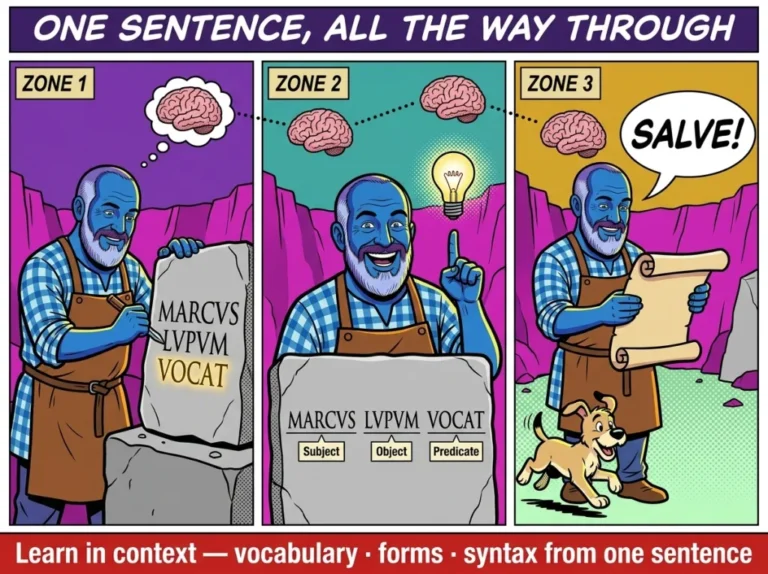
Take a sentence from our first reading text for year 1. Ariovistus arrives with his sister Hilda and his dog Lupus and looks for his father Wotan. Then the text says: Lupus Wotanem videt.
1 · Sort out the words
First check what the words mean. lupus is the wolf – here it is the dog’s name. Wotan is a name, and videt comes from videre, “to see”. If you don’t know a word, look it up, for example on Logeion or in Wiktionary.
2 · Parse the forms
Now the endings. vide-t is 3rd person singular present: “he, she or it sees”. Wotan-em has the ending -em, the accusative singular. Lupus is in the nominative. If you are unsure about a form, the declension tool and the conjugation tool help.
3 · Assign the sentence parts
Find the predicate first: videt. Then ask: who sees? The subject is in the nominative, so Lupus. Whom does he see? The accusative object, so Wotanem. How to identify sentence parts reliably is explained in Identifying sentence elements in Latin.
4 · Translate
Only now do you build the English sentence: “Lupus sees Wotan.” Had you gone word by word from the front, you would have “Lupus Wotan sees” – and wouldn’t know who sees whom. In Latin the ending decides, not the word order. The same holds for longer constructions such as the accusative and infinitive or the ablative absolute: the endings show what belongs together. That is why the verb is often at the end, and why you start with the predicate.
Rule of thumb: words first, then endings, then the predicate – and English last.
Why a whole text teaches more than single sentences
Practice sentences without context are like vocabulary without a sentence: you learn them, but you don’t understand them. In a real text every sentence helps you with the next.
- You know who is acting. If Lupus has just been running, you expect him in the next sentence too. That makes the subject easier to find.
- Words come back. In the first reading text tacere, “to be silent”, appears several times. What you have seen three times in a sentence sticks better than a line in a list.
- Context settles the meaning. Many Latin words have several meanings. Which one fits is decided by the sentence – more in Latin words with multiple meanings.
- Small portions. A whole text at once overwhelms you. A few sentences in a row are what your working memory handles well.
Sentence by sentence, with help at every step
In the Lapicida app, Unda takes you through a text. Try it for free with our first reading text from year 1.
Learn Latin now. Our learning app:

Unda: sentence by sentence through a real text
In the Lapicida app this path is called Unda, Latin for “the wave”. Unda turns a reading text into a practice route. The tasks come from exactly the sentences in front of you, not from a general pool. This is how it works:
- To start, you meet two or three words from the text.
- Then five sentences are always in front of you. The cards come from them, mixed: vocabulary, form, sentence part and marking.
- Every sentence you have worked out becomes a line on your stone tablet – Latin on the left, the translation on the right.
- When the text is done, you read it in one go.
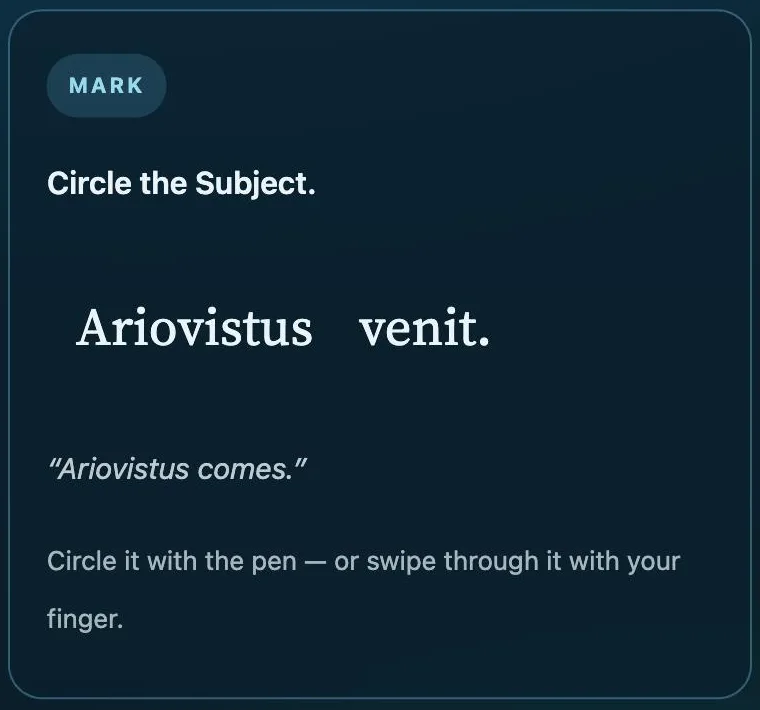
Mark it yourself. On the marking card you don’t just tap a sentence part, you circle it: you draw the line where it begins and where it ends – exactly what you need on paper. Here the task is “Circle the subject” in Ariovistus venit.
Then the form. Once you have the subject, Unda asks how the word is parsed – singular or plural. Every card has two buttons: Hint and Explanation. Reach the right answer with help and the card counts as right; tap wrong first and it counts as wrong. The rule behind it: asking is free, guessing isn’t.
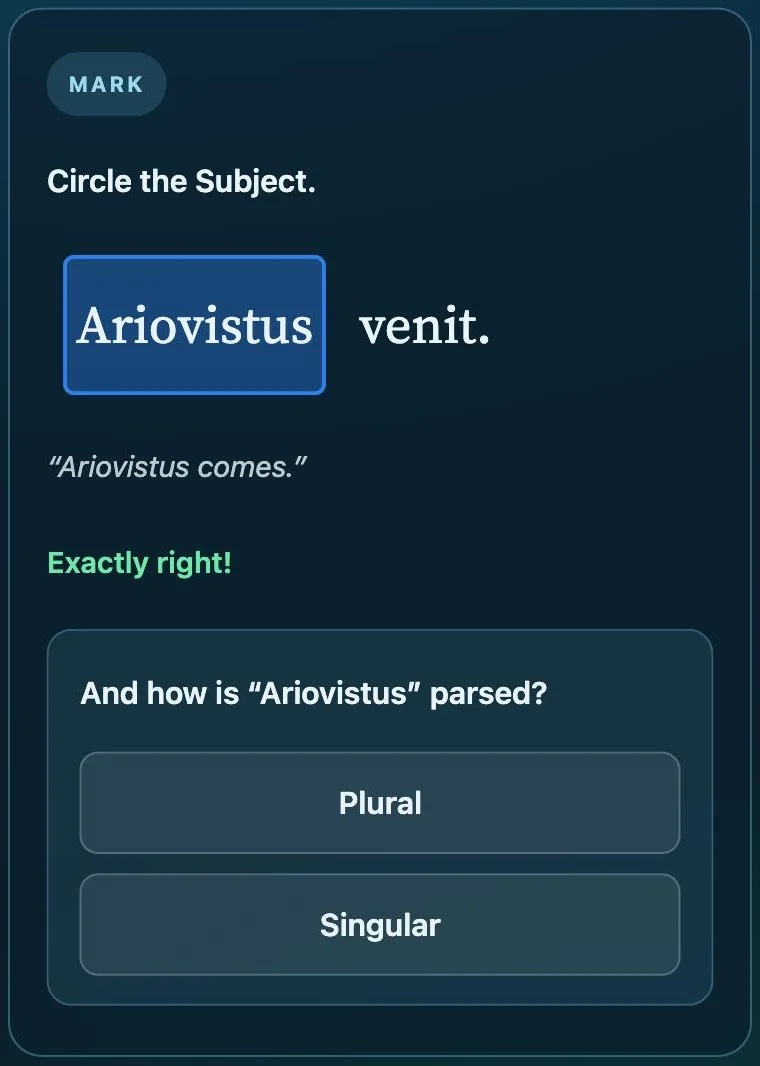
A wrong card comes back in the same round, but in a different form – you see the same thing from another side. Unda is a project, not a test: stop at any time and pick up where you left off. Every sentence is voiced; how listening and reading aloud works has its own page. What you practise in Unda also counts in the vocabulary trainer, in Latin forms practice and for the sentence parts.
Unda opens up a new text. Mixed revision of what you already know is the job of Turbo; sentence parts area by area are trained in the sentence quiz. All details are in the Unda guide.
Mark with pen or finger
Marking works with your finger, the mouse or a pen – in the browser and in the app, and without a licence too. With a licence you can also write the form cards with a pen on a tablet instead of typing.
The sentence parts keep their fixed colours: subject blue, predicate red, accusative object indigo. There is no time pressure and no streak that can break. What Unda offers learners with dyslexia is covered in Learning Latin with dyslexia.
Which texts can you translate?
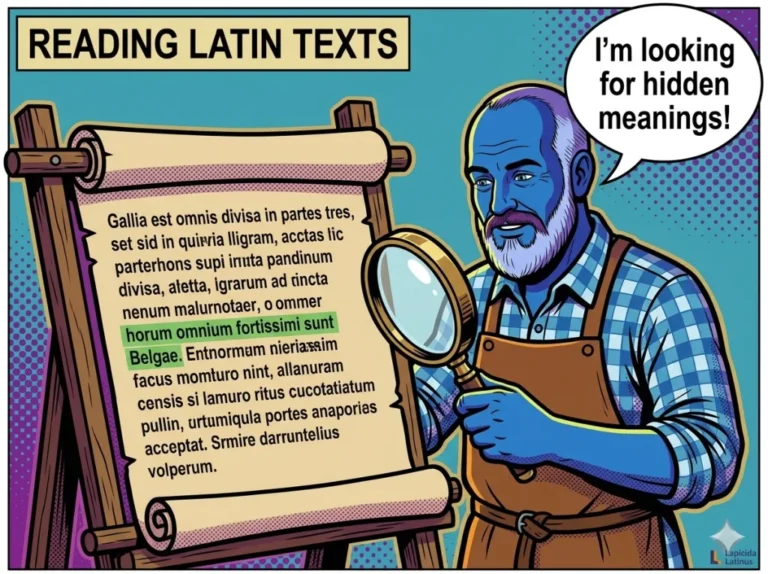
Unda is available for 189 of the 190 readings in the app. It starts with our 91 Lapicida reading texts for years 1 to 4 of Latin: the story of Ariovistus, the son of a Germanic stonemason, in Caesar’s Rome. Then come real authors, simplified and in the original, for example Caesar and Phaedrus. Which texts there are and at which level is shown in all readings at a glance.
Without a licence Unda works with our first reading text. You can still read all other texts in the readings section.
Looking for original texts beyond the app? Many are freely available in The Latin Library. Which words occur most often in classical texts is shown by the Dickinson College core vocabulary.
Translator app or translate it yourself?
Machine translators handle simple Latin sentences reasonably well. But then the machine translates, not you. In a test or an exam you have to unlock the sentence yourself. Why translator apps tend to slow your learning down is explained in Translate Latin.
Looking things up, on the other hand, is allowed and smart: a dictionary or a table of forms doesn’t do the thinking for you, only the searching.
FAQ: learning to translate Latin
What is the best way to learn to translate Latin?
On a connected text, sentence by sentence. Sort out the words first, then the forms, then the sentence parts, and only then put the English sentence together.
Should I translate Latin word by word?
No. In Latin the ending decides, not the position in the sentence. Start with the predicate and then ask for subject and object.
How many sentences should I practise a day?
A few sentences every day bring more than a whole page once a week. What matters is that you really understand each sentence before you move on.
Can I use a dictionary when translating?
When practising, yes. A dictionary does the searching for you, not the translating. A translator app, on the other hand, does exactly what you are supposed to learn.
Is Unda free?
Without a licence you try Unda with our first reading text. With a licence Unda is available for 189 of the 190 readings in the app.
Start with one sentence
Words, forms, sentence parts, translation: with this order you can unlock any Latin sentence. In the Latin app you practise it sentence by sentence on a real text.
Learn Latin now. Our learning app: