
What is it?
The study plan answers the question of where to start. You say once on which days, at what time and for how long you want to study. On every study day a ready plan is waiting. You’ll find it on the home screen in the “Study plan” tile next to Unda. It is free.
What do I practise here?
Everything in turn, never 30 minutes of the same thing. With 30 minutes, a typical day is made up of:
- Vocabulary, 3 to 8 minutes, depending on how many words are due. The block starts straight with words from your lists. If there is nothing to practise, it is left out and its minutes go to the text.
- Forms, Sentence Lab and Turbo, 6 minutes each. As long as you haven’t practised anything yet, Turbo is left out and the others take 9 minutes each.
- Unda, a text at the end. Unda makes up whatever time vocabulary leaves over.
With less time it gets shorter: below 25 minutes Turbo drops out, below 20 minutes vocabulary, one more exercise and Unda remain, below 15 minutes vocabulary and Unda. One exercise reinforces what is currently shaky: if you mix up two cases, Sentence Lab practises exactly that area. Sentence Lab is the app’s name for the sentence quiz.
How do I practise here?
Set it up once
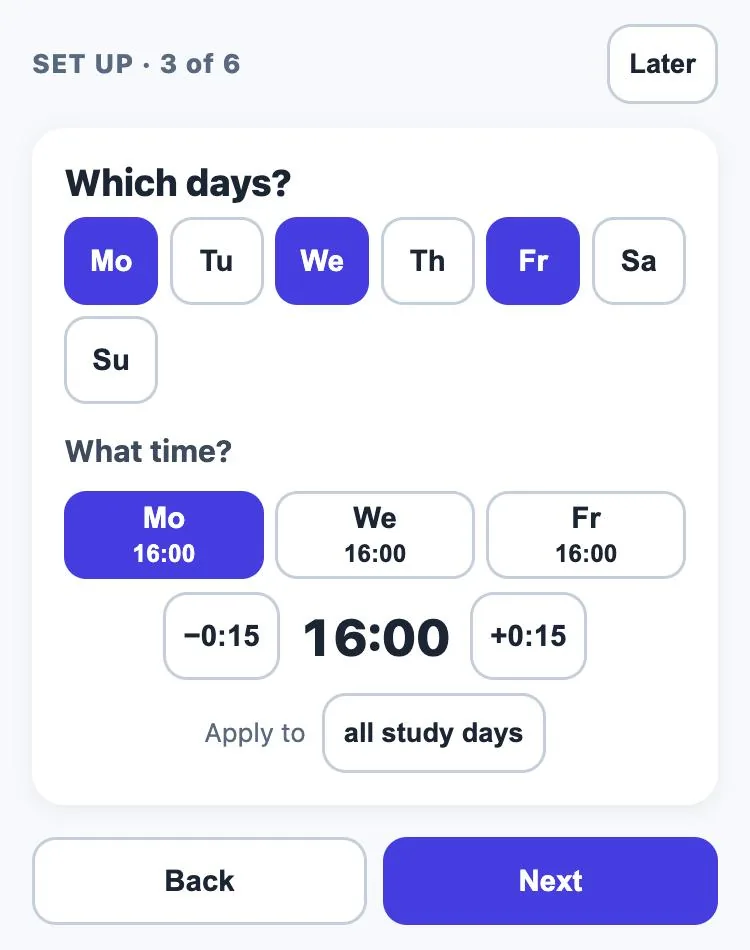
- What should we call you? Optional.
- How often per week? Suggestion: three times.
- Which days, what time? Each day can have its own time.
- How long? Suggestion: 30 minutes.
- Your plan as a sentence: for example “Right after homework I study Latin for 30 minutes.”
The app suggests what to do each day. You can change everything later under “My plan”.
On a study day
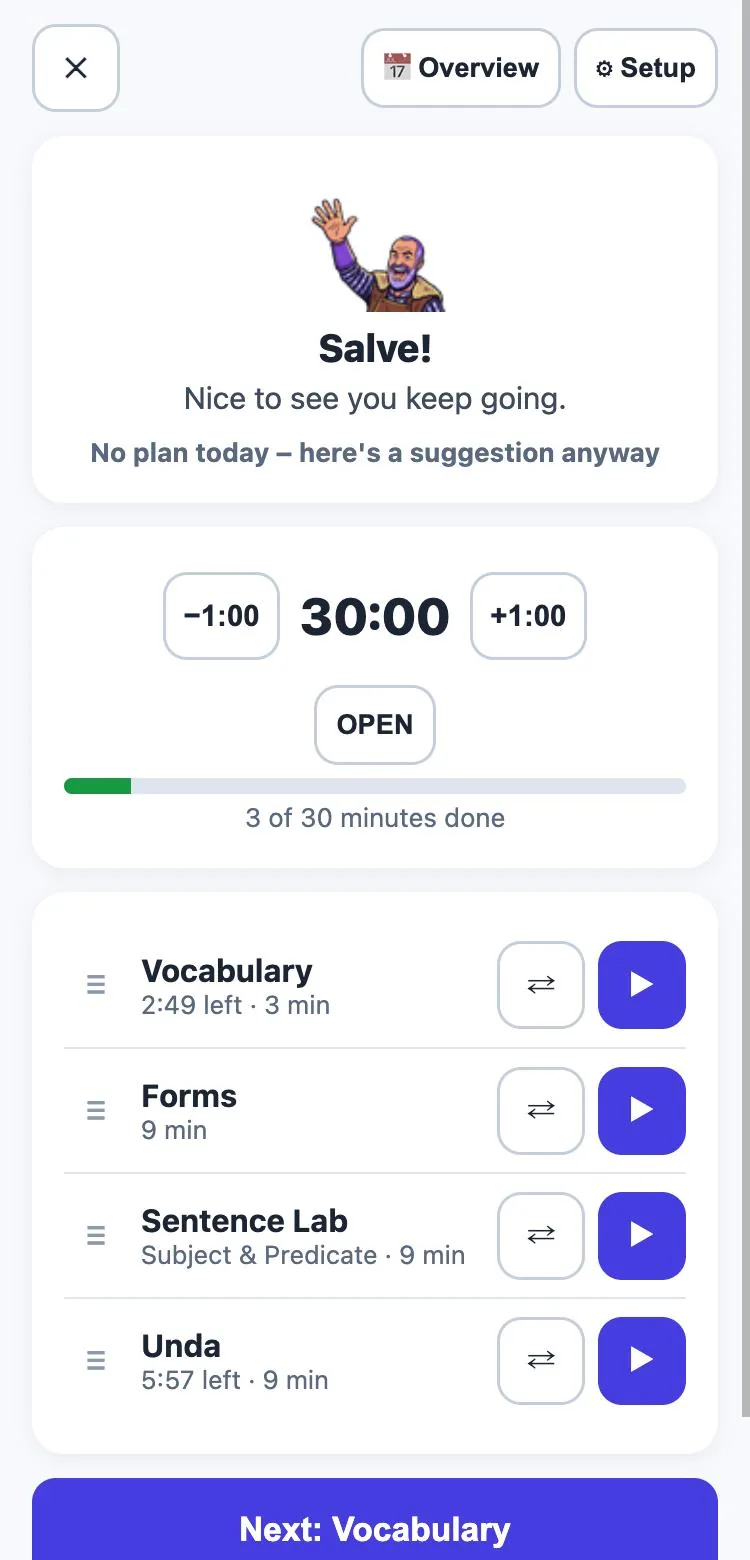
The stonemason greets you, and below that are the time and today’s plan. One tap on “Next” and the first exercise starts straight away. Use ⇄ to swap an exercise and the three lines to drag it somewhere else.
At the top of every exercise, a small timer shows the time left, with no alarm. It only runs while you are actually practising and stops on selection and result screens. When time is up, you finish your card. If it’s going well, you add 1 or 5 minutes.
Between exercises there is a short tip: the explanation of what you are mixing up right now, otherwise a cheat sheet for the next exercise. The timer stops while you read. At the end you see the minutes per exercise, with no grade and no list of mistakes.
Not a study day? Tap the tile anyway and a suggestion is ready. Set the time minute by minute, or tap “Open” to run a stopwatch instead.
My plan
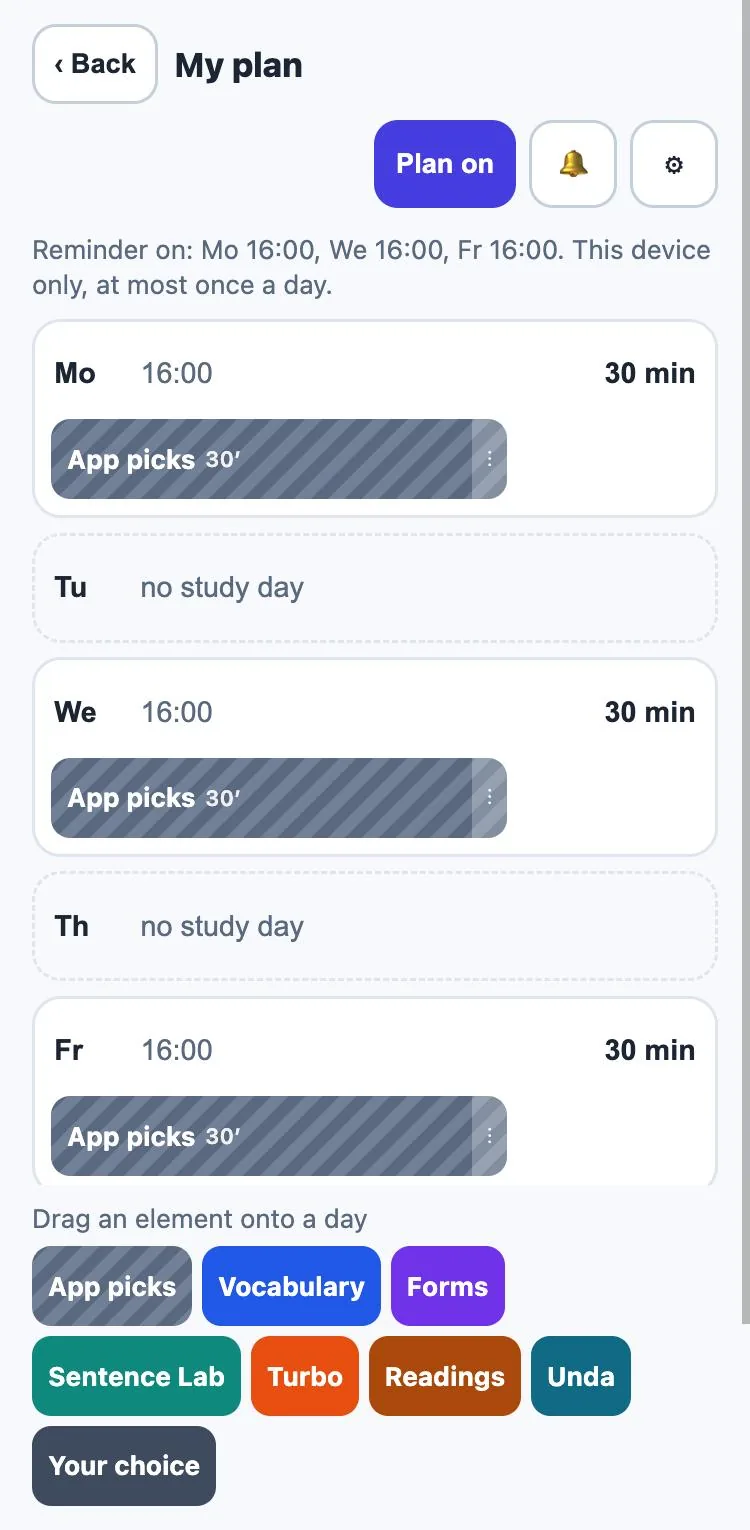
“My plan” shows your week. The default is “App picks”: the app puts the day together. If you want to decide yourself, drag Vocabulary, Forms, Sentence Lab, Turbo, Readings, Unda or “Your choice” onto a day. This is also where you change days and times.
A plan, no pressure
- No daily streak that can break, no badges. If you skip a day, nothing happens.
- A reminder at your time, if you want one. Only in the app, not in the web version. At most one a day, only on your study days, and none if you have already practised in the plan today. While it is on, it replaces the 9 o’clock message.
- It backs off. If three reminders go unanswered, it rests and the app asks once: “Does this time still work?”
- Pause: “Pause until …”, for 7, 14 or 21 days.
What does the dyslexia support look like here?
The explanation cards between exercises use the dyslexia font if you have turned it on. Buttons stay calm. And the fixed sequence takes away the decision of where to start.
How do I learn here? And how does it all connect?
The study plan isn’t a trainer of its own. It starts the trainers you know and uses your progress to choose: vocabulary trainer, forms trainer, sentence quiz, Turbo and Unda.
Frequently asked questions
What does the study plan cost?
Nothing. What content you can use in the individual exercises depends on your version, as everywhere in the app.
Does my plan travel to other devices?
With a licence, yes: your plan and today’s progress travel with you. What you finished on your phone in the morning is done on your tablet in the afternoon. You set the reminder bell per device.
Can parents or teachers see my plan?
No. In a class, the teacher still sees your learning results, but not the plan.
Can I study for more than 30 minutes?
Yes. 30 minutes is the suggestion. You can set it longer or shorter for each day.
Try it now
The study plan runs for free and without signing up. Start for free →
← Back to the overview · on to the vocabulary trainer · more on Unda