
Learning Latin Vocabulary — How the Vocabulary Trainer Works (10 Modes)

Learning Latin vocabulary with flashcards and thick vocabulary workbooks—everyone knows that from high school. What’s often missing, though, is real retention. A word memorized today is half-forgotten tomorrow and gone the day after.
The Lapicida Vocabulary Trainer does things differently: spaced repetition, 10 learning modes, and vocabulary lists ranging from basic vocabulary to frequency-based DCC vocabulary. No cramming, just lasting retention—and the system adapts to your individual learning pace.
Learning Latin Vocabulary: Flashcards, App, or Trainer?
Short answer: Flashcards work—but only if you review them regularly and according to a set system. The problem: Most students cram right before a test, then forget everything again. A digital vocabulary trainer with Spaced Repetition (SRS) automates this very rhythm.
| Method | Advantage | Disadvantage |
|---|---|---|
| Flashcards (physical) | Memorable, tactile | No algorithm, easy to skip |
| Quizlet / Anki | SRS, free | No grammar practice, no Latin charts |
| Lapicida Vocabulary Trainer | SRS + 13 game modes + textbook lists | Latin only (not an all-around tool) |
Lapicida is the only free Latin vocabulary trainer with textbook integration (Cursus A/B, Prima, Felix), a 7-box SRS system, and 10 different quiz modes—from multiple choice to Tetris. Try it for free now →
What is Spaced Repetition?
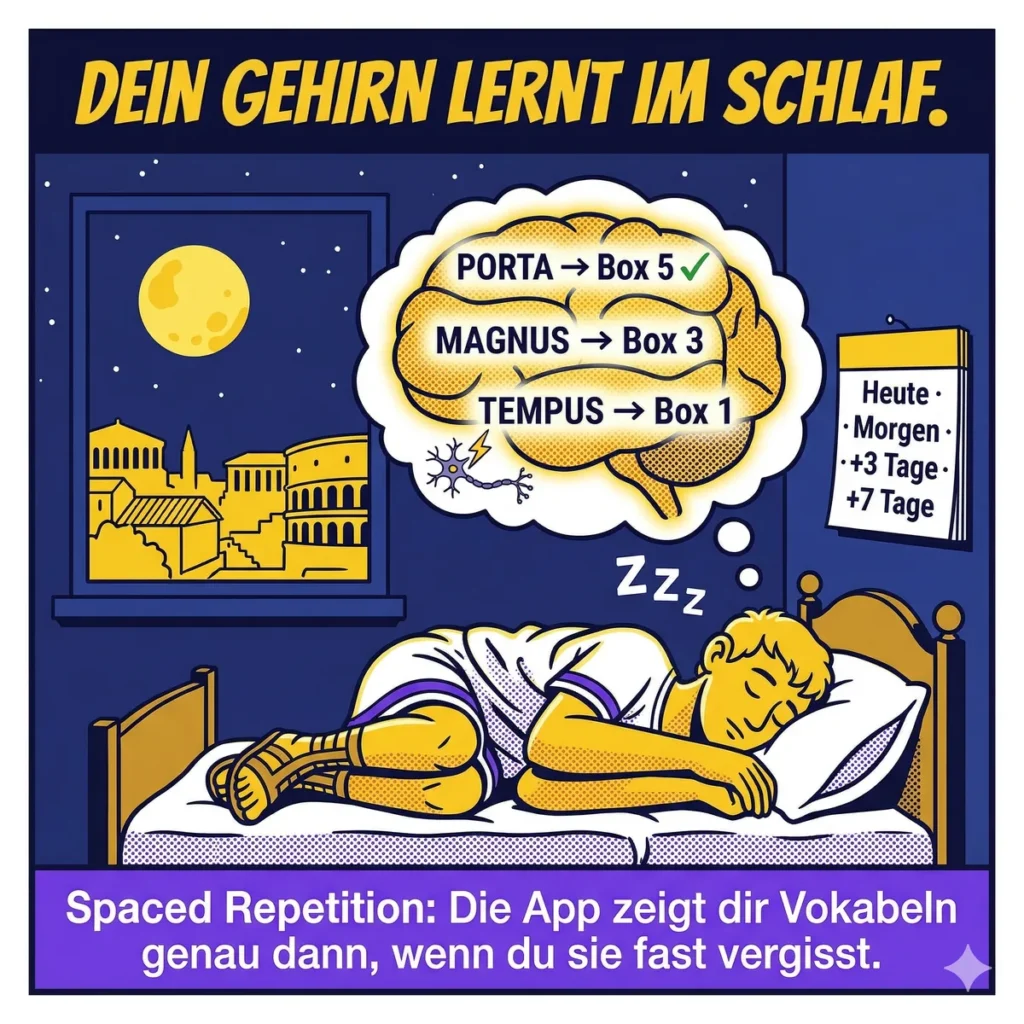
Spaced repetition is a scientifically proven learning method in which vocabulary is reviewed at progressively longer intervals—always just before the information is forgotten. It’s based on Hermann Ebbinghaus’s forgetting curve (1885): Without repetition, the brain forgets up to 70% of what it has learned within 24 hours. Through targeted, staggered repetition, knowledge is permanently transferred to long-term memory. Vocabulary that has been firmly retained is reviewed less frequently, while weaker items are reviewed daily—this saves time and doubles retention compared to traditional memorization.
Anyone who wants to learn Latin vocabulary cannot ignore this principle. It has been proven by over 200 studies (including Cepeda et al., 2006, *Psychological Bulletin*) and forms the basis of all modern review systems—from Anki to Lapicida.
More blog posts on this topic:
The 7-Box System — How Your Progress Grows
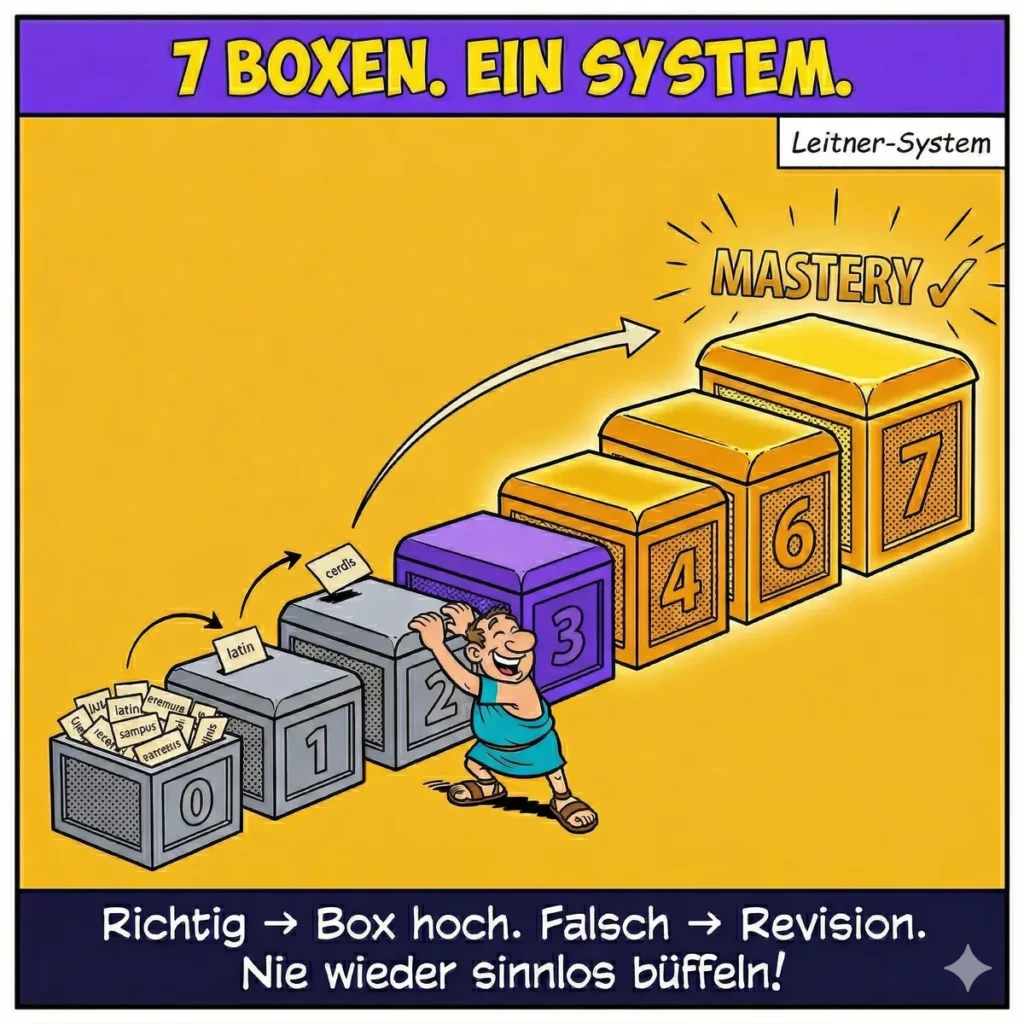
Lapicida uses an adapted Leitner system with 7 boxes: Box 0 (New) → Box 1 → Box 2 → Box 3 → Box 4 → Box 5 → Box 6 → Box 7 (Mastery).
Correct answer: The card moves up. Incorrect answer: Soft reset—no total reset to Box 0. Cards in higher boxes aren’t reviewed again until several days or weeks later. This takes the strain off your working memory: Only cards you’re actually ready for appear today.
Individual Pace — When Do You Truly Know a Word?
There’s a difference between “guessing correctly” and “truly knowing.” Lapicida recognizes this difference—through personalized speed tracking.
The system learns your personal response baseline: the average of your most recent response times, adjusted for outliers. If you answer significantly faster than your baseline, you earn bonus points (factor 1.5×). If you answer significantly slower, you earn fewer points (factor 0.75×).
Crucially: The comparison is made against your own baseline—never against other users. A slower learner isn’t penalized for being slower than average.
Understand Latin instead of cramming — try it right now.

The Vocabulary Lists — From Basic to DCC
Learning Latin vocabulary only works well if the right words are tested at the right time. Lapicida contains several lists that build on one another—without duplicating learning:
Basic Vocabulary: More than 100 words covering the most common building blocks of Latin. Ideal for getting started in 8th grade.
DCC Vocabulary (Dickinson College Commentaries): The DCC vocabulary list is the academically recognized standard for basic Latin vocabulary. It was developed by Dickinson College and contains the most important words in Classical Latin based on frequency—sorted by frequency in the traditional text corpus. Included in Lapicida by default.
Thematic Lists from the Cloud: Cicero (De Amicitia, De Officiis), Caesar (De Bello Gallico), Sallust (Bellum Catilinae), or the Epistles of Paul for Latin in theology—downloadable directly from the cloud.
Custom lists: Enter your own vocabulary or take a photo of it to create your own vocabulary lists.
No duplicate learning: Vocabulary words retain their box number across all lists. If you have “Caesar” in Box 5, you don’t have to start over when adding the Caesar special list.
Teachers can also create their own lists and assign them to classes.
The 10 Learning Modes — “Desirable Difficulty” in Practice

Not all modes are equally difficult—and that’s by design. Robert Bjork (UCLA) described the principle of “Desirable Difficulty” in 1994: Learning is most lasting when it involves productive effort. Easy, passive rereading creates familiarity—but not stable memory. (Bjork Learning and Forgetting Lab, UCLA)
That’s why learning vocabulary with Lapicida doesn’t mean sticking to the same mode all the time. As the box number increases, more challenging modes are added:
| Mode | Box | What You Do |
|---|---|---|
| Flip | 0 | Flip the flashcard, self-assessment |
| Tip | 0 | Look at the word and write it down (memorize the word’s form) |
| Chunks | 1–5, M | Put syllables or letters together to form a word |
| Multiple Choice | 1–3 | Choose the correct translation from 4 options |
| Tetris | 1–2 | Stack falling letter blocks in the correct order |
| Snake | 1–5, M | The snake collects letters to form the target word |
| Circus Maximus | 1–2 | Chariot Race: Collect letters from 5 lanes |
| Trace | 2–5, M | Trace the letters in the grid in a snake-like pattern |
| Shooter | 3–5, M | Click on the rising coins (letters in order) |
| Scripta | 4–5, M | Active Recall: See One Language, Type Another |
Roediger & Karpicke (2006, Psychological Science) showed that active recall is about twice as effective as passive rereading—80% vs. 34% retention after one week. (Study on PubMed)
Learning Latin Vocabulary with LRS — What the Vocabulary Trainer Offers
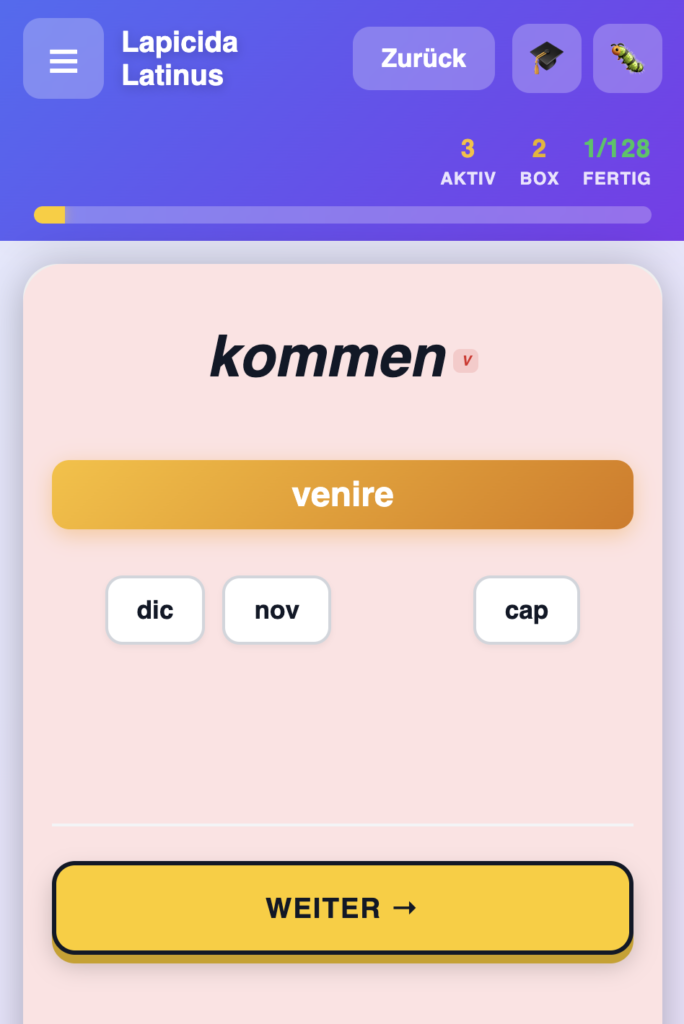
In the vocabulary trainer, vocabulary isn’t practiced in a sentence context—the sentence quiz handles that. The vocabulary trainer focuses on the isolated word: word form and meaning. Clear cognitive focus.
For students using the Latin app for dyslexia, the Vocabulary Trainer offers three specific features:
1. Color-coding by part of speech: Each vocabulary card displays a small pill-shaped label—V (verb), N (noun), Adj (adjective)—in the corresponding part-of-speech color. Verb = Red, Noun = Blue, Adjective = Purple. Color is processed in parallel with text recognition, even before the word is fully decoded—a second cognitive channel for learners with dyslexia.
2. OpenDyslexic font: Can be toggled in the app settings and is synced across devices. Scientifically proven (Rello & Baeza-Yates, 2013): OpenDyslexic reduces fixation errors among users with dyslexia.
3. No global time pressure: Modes with speed measurement always use the user’s personal baseline—never a global timer.
More on this: Learning Latin with Dyslexia — Why I Built This App.
Conclusion — Learning Latin Vocabulary with a System
The Lapicida Vocabulary Trainer is not a digital vocabulary notebook. It is a system: scientifically grounded (Spaced Repetition + Desirable Difficulty), individually tailored (speed baseline), comprehensive in content (Basic + DCC + Specialized), and consistently designed with dyslexia in mind.
Phase 6 and Cabuu offer similar modes—but no Latin-specific content, no DCC vocabulary, no part-of-speech “pills,” and no Leitner system with individual speed tracking.
Try it for free—and see for yourself which box your vocabulary reaches today.
Vocabulary is retained most quickly in context: original Latin texts with integrated vocabulary aids make the leap from individual words to actual reading possible.
How do you get started with the vocabulary trainer?
Step 1: Open the app
Open Lapicida Latinus in your browser (lapicida-latinus.de) or install the Android app from the Play Store. No account needed—the vocabulary trainer starts right away.
Step 2: Select a vocabulary list
In the vocabulary trainer, choose your list: Basic, DCC, or a special author list (Cicero, Caesar, Sallust). You can work with multiple lists at the same time—your progress is saved across all lists.
Step 3: Start a session
The vocabulary trainer automatically shows you the cards you’re supposed to review today—based on the box system. No manual setup required. The mode is automatically selected based on the box status.
Step 4: Experience more challenging modes
The higher a vocabulary word moves up in the box system, the more challenging the mode becomes. Shooter and Trace begin at Box 3. Scripta begins at Box 4—active recall without letter prompts.
Step 5: Enable LRS features (optional)
In the settings, you can enable OpenDyslexic as a font. Once set, it syncs across all devices.

How can I learn Latin vocabulary without cramming?
With spaced repetition: Vocabulary words are reviewed at progressively longer intervals—always just before the information is forgotten. The Lapicida Box system does this automatically. Additionally, 10 different learning modes enhance retention through active recall (Desirable Difficulty according to Bjork, 1994).
How many vocabulary words are included in the vocabulary trainer?
More than 100 basic vocabulary words plus the DCC vocabulary (Dickinson College Commentaries)—included by default. Thematic lists for Cicero, Caesar, Sallust, and other authors can also be activated.
What are the DCC vocabulary words?
DCC stands for Dickinson College Commentaries. The DCC vocabulary list contains the most frequent words in Classical Latin—determined based on the extant corpus of texts. It is the academically recognized standard and is used worldwide in commentaries and teaching materials.
Will I lose my progress if I activate multiple lists?
No. Progress in the box system is saved per vocabulary word—not per list. No duplicate learning.
Is the vocabulary trainer suitable for students with dyslexia?
Yes. The vocabulary trainer offers color-coded part-of-speech pills (V, N, Adj), the OpenDyslexic font (toggleable, synced across devices), and no global timing—speed is adjusted to your personal baseline.
What’s the difference between this and Phase 6 and Cabuu?
Phase 6 and Cabuu are general flashcard apps without Latin-specific content. Lapicida includes DCC vocabulary, author-specific lists, part-of-speech pills, individual speed tracking, and is directly linked to the sentence quiz and reading exercises.
Learn vocabulary now — the long-term way, not by rote
Understand Latin instead of cramming — try it right now.
Continue learning
By the way: If you want to look up individual Latin words—for example, for crossword puzzles (the 100 most common Latin terms)—you’ll find them in our curated list, complete with genitive case, gender, and number of letters.
Learning Latin — Overview of All Methods · Learning Latin with Dyslexia — Why I Built This App · Learning Latin with AI — What ChatGPT Can and Can’t Do · Identifying Latin Sentence Components — How the Sentence Quiz Works


